


SMARTPHONE UNDERWATER HOUSING
Your native camera. Now underwater.
Take the camera app you already know beneath the surface. Smart Housing 3.0 connects to your compatible phone via Bluetooth and simulates screen touches, letting you use your phone’s native camera app inside a rigid underwater housing.
No third-party camera app required. No soft touchscreen membrane.
Available controls vary by phone model and operating system. Ask us about your phone before purchasing.
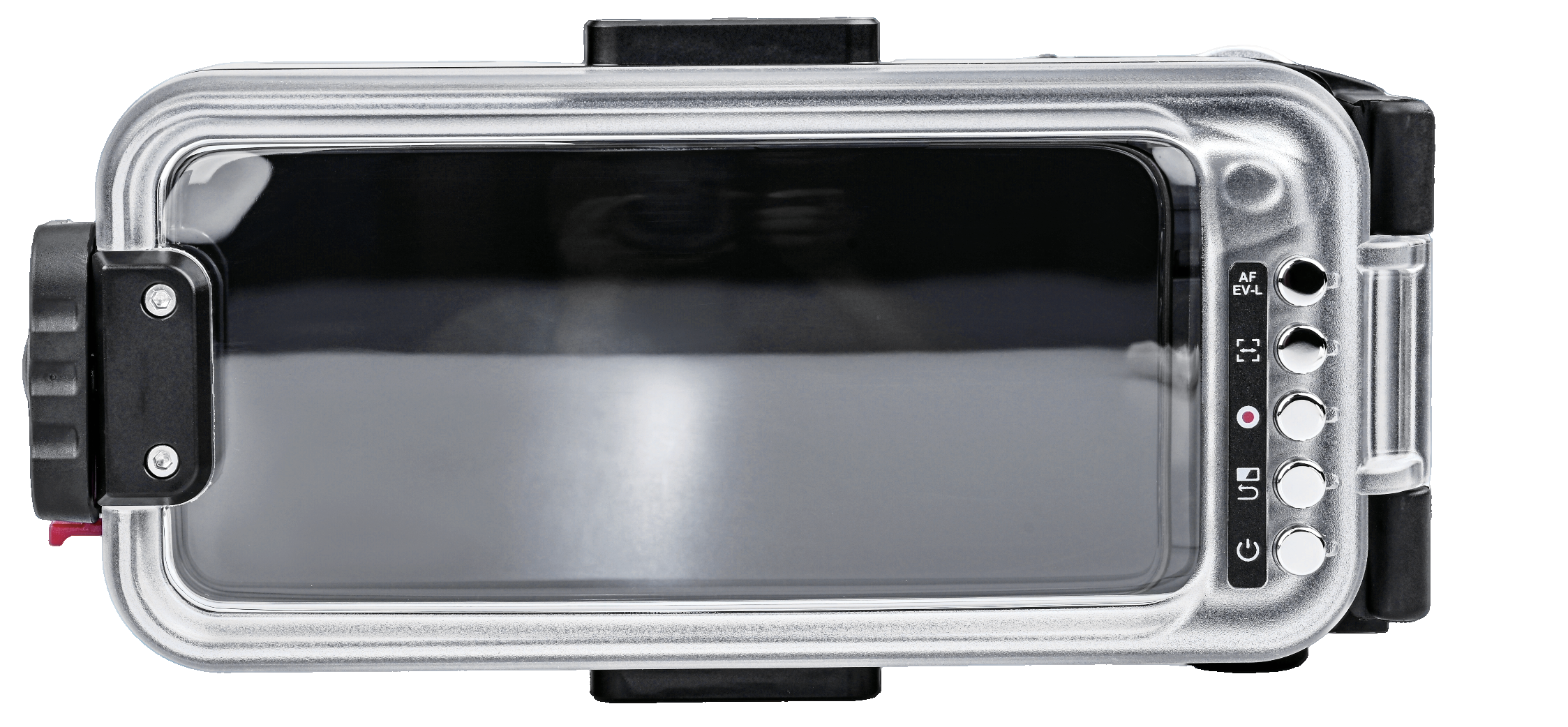
CAMERA CONTROLS
Keep your phone protected. Keep control of your shot.
Dedicated physical controls put the key camera functions at your fingertips: shutter, zoom, focus, focus-frame position, exposure, camera mode and recording. Actual behaviour depends on your phone and operating system.
- Shutter: half-press for focus; press to capture a photo in Photo mode.
- Zoom: move the zoom control right to zoom in and left to zoom out.
- Mode and exposure: turn the control to change camera modes when the focus frame is not displayed, or adjust exposure brightness when it is displayed.
- Focus: use the focus button or reposition the focus frame with the AF move button.
PHONE SETUP
Set up your phone before you dive.
Smart Housing 3.0 is designed for compatible iOS and Android smartphones. Bluetooth pairing uses the device name Kraken. iPhone setup includes enabling Zoom in Settings → Accessibility before Bluetooth pairing. Follow the setup instructions and test your camera controls on land before installing your phone for a dive.
Compatibility and available functions vary by phone model and operating-system version. Contact us with both details to discuss your setup.
Email info@uwimages.com.au to confirm your model and make of phone
BEFORE EVERY DIVE
Check the seal with the built-in vacuum system.
Inspect the O-rings and sealing surfaces for sand, hair, dust and damage before closing the housing.
- Unscrew the vacuum-port cap counterclockwise.
- Attach the supplied vacuum pump and extract air. The indicator alternates red and green during air extraction.
- Once the indicator is solid green, refit the vacuum-port cap and tighten it clockwise.
- Wait 30 minutes and check that the indicator remains solid green before diving.
Do not dive if the indicator is red or alternating red/green. Recheck the seal and vacuum system. The vacuum-port cap must be fully tightened before diving.
Release the vacuum before opening the housing. Unscrew the exhaust-valve knob and press the red sealing gasket sideways to release the vacuum. Wait for the indicator to turn red before opening. Never open the housing underwater.
In the box:
- Kraken Smart Housing 3.0
- CR123A 3V battery
- Vacuum pump
- Black lanyard
- Spare rear-cover O-ring
- Spare front-cover O-ring
- Spare vacuum-cap O-ring
Phone and optional lens accessories are not included.